How to List your item on Vendaras

🛍️ How to list your item(s) on Vendaras
✨ Create Your Listing
Turn items you don’t love into cash—list them quickly and price them right.
📸 Photos
Upload up to 20 photos.
Choose your main image by clicking “Main.”
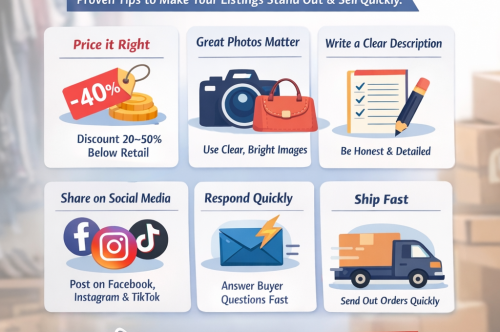
👉 Listings with clear, well-lit photos sell faster.
Show multiple angles and include any tags, labels, or authenticity details.
🏷️ Category & Brand
Select the most accurate category for your item.
Choose a brand if available, or select “Other.”
👉 Accurate details help buyers find your item faster.
📝 Title & Description
Write a clear, simple title.
Describe the condition, size, brand, and any flaws.
👉 Be honest and detailed—this builds trust and reduces questions.
💲 Pricing
Enter the original retail price and your selling price.
👉 Items should be priced at least 20% off retail to attract buyers.
Better deals = faster sales.
📦 Condition
Select the condition that best matches your item from the list available on the add product page.
🚀 Ready to Sell
Review your listing, then click Save Changes (on both screens)
👉 Great photos + fair pricing = quicker sales.
👉 “Declutter your closet. Make extra cash. Start listing today.”